Your website might be costing you business, and you may not even realize it.
Many small business owners think of website performance as a technical issue that only affects loading speed. If the homepage eventually loads and customers aren’t actively complaining, it can be easy to assume everything is working as it should.
In reality, website performance has a direct impact on how customers experience your business online. A slow, unreliable, or poorly optimized website can frustrate visitors, reduce conversions, hurt your search rankings, and even increase the cost of your marketing efforts.
Consider this: Google reports that 53% of mobile users will leave a website if it takes longer than three seconds to load. For businesses investing in SEO, social media, or online advertising, that’s a significant number of potential customers who may never even see what you have to offer.
The impact goes beyond speed, too. Website performance influences how trustworthy and professional your business appears. A slow page, a broken contact form, or a frustrating mobile experience can leave a lasting impression, regardless of the quality of your products or services.
The good news is that many website performance issues are preventable and fixable. Understanding what website performance actually means, recognizing the warning signs, and making strategic improvements can help create a better experience for your customers while supporting your long-term business goals.
In this article, we’ll look at what website performance really involves, the hidden costs of poor performance, common issues that affect small businesses, and practical steps you can take to improve your website.
What Is Website Performance (and Why Does It Matter?)
When people talk about website performance, they’re often referring to loading speed. While that’s certainly important, it’s only one part of the overall picture.
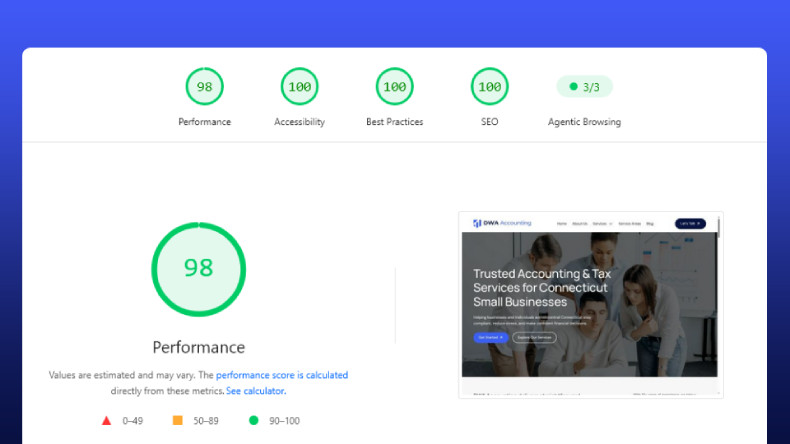
Website performance is a measure of how effectively your website functions for visitors. A high-performing website should load quickly, work reliably, provide a smooth experience across devices, and make it easy for users to accomplish what they came to do.
Google reflects this broader approach through its Core Web Vitals, a set of metrics designed to measure real-world user experience. Rather than focusing solely on speed, they evaluate factors like loading performance, responsiveness, and visual stability.
You can learn more about Core Web Vitals directly from Google:
Understanding Core Web Vitals and Google search results
For small businesses, good website performance generally comes down to a few key areas:
- Speed: How quickly pages and content load.
- Reliability: Whether your website stays online and functions as expected.
- Mobile usability: How well your site performs on smartphones and tablets.
- User experience: How easy it is for visitors to navigate and complete important actions.
- Security and stability: Keeping your website protected and reducing the risk of unexpected issues.
These elements work together to shape the overall customer experience. A website doesn’t need to be flashy or packed with features, but it should make it easy for potential customers to find information, contact your business, and take the next step with confidence.
Keeping those systems running smoothly is an ongoing process rather than a one-time project. Regular updates, monitoring, and maintenance all play a role in long-term website performance. If you’re unsure what that involves, our article on website maintenance vs. website support breaks down the difference and why both matter.
The Hidden Costs of Poor Website Performance

Poor website performance isn’t just a technical problem. It can quietly affect multiple areas of your business, from customer acquisition to marketing ROI.
The challenge is that these costs are often difficult to spot. Unlike a broken phone line or a locked storefront, you rarely know how many potential customers leave your website before taking action.
Lost leads and lower conversions
When visitors encounter slow pages, broken forms, or a frustrating mobile experience, they’re less likely to stick around.
HubSpot notes that website speed and overall user experience play an important role in conversion rates, as visitors are more likely to engage with websites that are fast and easy to use.
For service-based businesses, even a small drop in conversions can mean fewer inquiries, consultations, or booked appointments.
Reduced trust and credibility
Your website is often the first impression a customer has of your business.
A page that loads slowly, displays incorrectly, or doesn’t work properly can make an otherwise reputable business appear outdated or unreliable.
Performance is part of the overall customer experience. As we’ve discussed in our article on creating a cohesive digital identity, every interaction with your website contributes to how your business is perceived.
Less effective marketing
Whether you’re investing in SEO, Google Ads, or social media, poor website performance can reduce the effectiveness of those efforts.
Driving traffic to a website that struggles to convert visitors is a bit like filling a leaky bucket. You’re attracting potential customers, but some are leaving before they have a chance to engage with your business.
Small issues can become bigger problems
Website performance issues rarely stay isolated.
An outdated plugin might affect loading times today and create a security risk tomorrow. A website that isn’t regularly maintained can gradually become slower, less reliable, and more difficult to update.
Addressing these issues early is often simpler and more cost-effective than waiting for them to affect multiple areas of your business.
Common Website Performance Problems for Small Businesses
Website performance issues rarely have a single cause. More often, they’re the result of several small problems that build up over time.
Here are some of the most common culprits.
Outdated software and neglected maintenance
Like any business tool, a website needs regular upkeep. Outdated content management systems, plugins, and themes can affect both performance and security.
Routine maintenance helps ensure your website stays fast, reliable, and compatible with the latest technologies.
Oversized images and unnecessary features
High-resolution images, video backgrounds, and excessive animations can make a website look impressive, but they can also slow it down if they’re not properly optimized.
The HTTP Archive, which tracks performance trends across millions of websites, consistently shows that images account for a significant portion of page weight.
A well-designed website should balance visual appeal with performance.
Too many plugins and third-party scripts
Many small business websites rely on plugins and external tools for features like contact forms, analytics, chat widgets, and social media feeds.
While these tools can be useful, adding too many can slow down your website and create unnecessary complexity.
Poor mobile optimization
A website that works well on desktop but struggles on mobile devices can frustrate visitors and make it harder for them to engage with your business.
Navigation, forms, and key information should be easy to access regardless of the device someone is using.
Low-quality hosting and outdated website builds
Sometimes performance issues are the result of cutting corners during the initial build or choosing the cheapest hosting option available.
While these decisions may reduce upfront costs, they can lead to slower load times, limited scalability, and ongoing technical challenges.
Many of these issues develop gradually, which means business owners don’t always notice them until they start affecting customer experience or lead generation.
There are several simple ways to check your website’s performance and identify potential problems.
How to Tell If Your Website Is Underperforming
Website performance problems aren’t always obvious. In many cases, a website can appear to be working fine while quietly creating friction for potential customers.
Fortunately, there are a few simple ways to spot potential issues.
Pay attention to customer experience
One of the easiest tests is to use your own website the way a customer would.
Ask yourself:
- Does the website load quickly?
- Is it easy to navigate on a mobile device?
- Do contact forms work properly?
- Are important pages easy to find?
- Does anything feel slow or frustrating?
If you’re noticing issues, there’s a good chance your visitors are too.
Use free performance testing tools
You don’t need specialized software to get a general idea of how your website is performing.
Google’s PageSpeed Insights analyzes your website and provides recommendations for improving speed and user experience.
Another useful option is GTmetrix, which offers detailed performance reports and helps identify technical bottlenecks.
While these tools can seem overwhelming at first, they can help highlight common issues such as large images, excessive scripts, or slow loading times.
Watch for warning signs
Sometimes the data is telling you there’s a problem.
Some common indicators include:
- High bounce rates.
- Lower-than-expected conversions.
- Customer complaints about the website.
- Slow page loads on mobile devices.
- Forms or interactive features that don’t work consistently.
One issue on its own may not be cause for concern, but several together could indicate broader performance problems.
Compare your website to customer expectations
Website standards have changed significantly over the last few years.
If your website hasn’t been updated in a while, performance issues may be a symptom of larger structural or technical limitations rather than a single isolated problem.
Many website performance issues have straightforward solutions that can improve both the user experience and your website’s overall effectiveness.
How Small Businesses Can Improve Website Performance
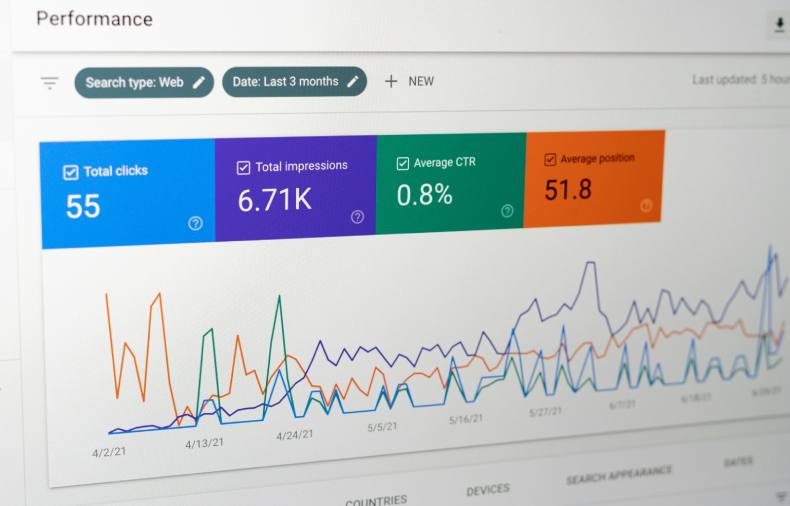
Many website performance issues can be improved without rebuilding your entire website. In many cases, small, consistent improvements can make a noticeable difference for both your customers and your business.
Website performance isn’t about chasing perfect scores. It’s about creating a better customer experience.
Optimize images and media
Large image files are one of the most common causes of slow-loading websites.
Compressing images before uploading them and avoiding unnecessarily large graphics can help improve loading times without sacrificing visual quality.
Review the features you’re using
Over time, websites tend to accumulate plugins, third-party scripts, and features that are no longer necessary.
Regularly reviewing what’s installed and removing anything you don’t use can help improve performance while making your website easier to manage.
Prioritize the mobile experience
For many small businesses, a significant portion of website traffic comes from mobile devices.
Testing your website on your own phone, making sure forms are easy to complete, and keeping navigation simple can help create a better experience for potential customers.
Good performance and good user experience often go hand in hand. If you’re looking for additional ways to improve engagement, our article on UX tips for service-based websites that want more leads explores a few practical strategies.
Monitor your website regularly
Website performance isn’t something you check once and forget about.
Taking the time to periodically review your website, test important features, and look for small issues can help prevent larger problems from developing over time.
When Should You Seek Professional Help?

Many website performance improvements can be handled with regular maintenance and a bit of attention to detail. Compressing images, removing unused plugins, and checking your website periodically are all good habits that can make a difference.
Sometimes, however, performance problems point to larger underlying issues.
If your website continues to struggle despite your efforts, it may be worth bringing in professional help.
Some common signs include:
- Slow loading times that don’t improve.
- Frequent technical issues or downtime.
- Poor mobile performance.
- Declining search visibility.
- An older website that’s becoming difficult to maintain or update.
In some cases, these problems aren’t caused by a single issue. They can be the result of an aging website, outdated technology, or a site that was never designed to support your business as it grew.
Persistent performance problems can also be one of several indicators that a website has outlived its original design. If that sounds familiar, our article 5 signs it’s time to redesign your business website explores some of the warning signs to watch for.
A professional website audit can help identify the root causes of performance issues and prioritize improvements based on your business goals. In some cases, the solution may be a few targeted optimizations. In others, a more comprehensive update may provide better long-term value.
The important thing is to address problems before they begin affecting customer experience and lead generation.
Conclusion
Website performance isn’t just a technical metric. It’s part of the experience you provide to potential customers.
A fast, reliable, and easy-to-use website can help build trust, support your marketing efforts, and make it easier for visitors to become customers. On the other hand, small performance issues can gradually affect conversions, search visibility, and the overall perception of your business.
Most website performance problems are preventable. Understanding what to look for and making regular improvements can go a long way toward keeping your website running effectively.
If you’re not sure where to start, a website audit can help identify opportunities to improve speed, usability, and long-term reliability.
At Alliance Web Design, we help small businesses build and maintain websites that are designed to perform well for both users and search engines, supporting long-term growth and a better online experience.